
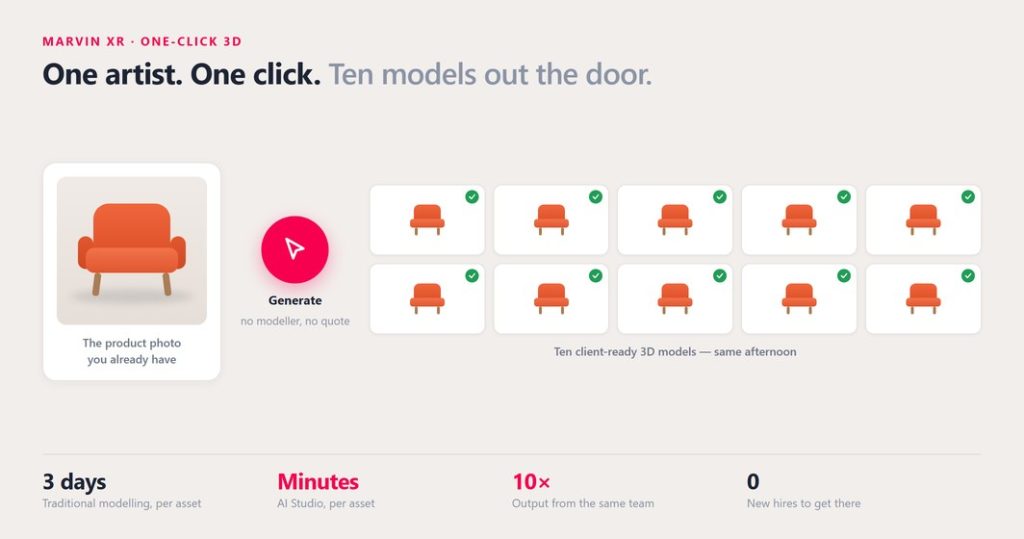
A 3D studio owner told me he turned down a 400-SKU job last month. Not because he couldn’t do it — because he could do the arithmetic.
Two to three days per model. Five people. Ten assets in a good week. That brief was a year of his entire studio, and the client wanted it before the autumn season. So he quoted honestly, the client went quiet, and everyone moved on.
I have had that conversation more times than I can count. And I think we have all been describing the problem slightly wrong.
The expensive part was never the invoice
When people talk about the cost of 3D, they talk about the per-model price. A freelancer’s quote. A studio’s day rate.
That is the visible cost. It is not the real one.
The real cost is the 95% of the catalogue that never gets a model at all. It is the product page that still has five flat photographs. It is the customer who cannot tell whether the sideboard fits the alcove, so they do not buy — or they buy, and then they send it back.
Slow 3D does not make 3D expensive. It makes it rare. And a rare thing cannot become part of how you sell. It becomes a campaign: something you do for the hero product, once, for a launch, while the other 399 SKUs carry on as flat images.
That is the actual damage, and no amount of negotiating the per-model price fixes it.
The arithmetic, plainly
Put real numbers against a five-person team. A modeller takes two to three days per product, so the studio ships roughly ten assets in a week. That number is stable, it is well understood by everyone in the building, and it is the number every quote is silently built on.
With one-click generation, the same five people review and approve ten assets before lunch.
Nobody was replaced. The ceiling moved.
That distinction matters more than the multiple does. This is not a story about a smaller studio doing the same work. It is a story about the same studio being able to say yes to work it currently turns down.
What actually changed
Marvin XR generates a textured, real-world-scale 3D model from one to three ordinary product photos — the kind already sitting in your product feed. It takes about seventy seconds.
I want to be careful here, because this space has a lot of people promising magic.
It is not magic. It is a shift in where the hours go. Generation is only as good as the photograph going in: a clean, single-object shot gives you something client-ready, and a busy lifestyle image will not. Nobody sensible should publish a generated model without looking at it first.
So the honest version of the claim is narrower than the marketing version, and I would rather say the narrow one: the mesh stops being the expensive part. That is the whole change. But that one change moves everything downstream of it.
Where the hours actually go now
The hours do not disappear. They move.
They stop going into box-modelling a sofa for the ninth time, and start going into the work clients notice and pay properly for:
- Materials and shading — the difference between a mesh and something that looks like the actual product.
- Lighting and scene composition — still entirely a human judgement, and still the thing that separates studios.
- The hero shot — the single frame the client puts at the top of the page.
- Art direction and the client conversation — the part that was always being squeezed by production deadlines.
The catalogue fills itself in behind them.
You still approve every model
The workflow is deliberately gated. You upload one to three product photos. A textured model comes back in about seventy seconds. You inspect it in the viewer, and then you decide:
- Rebuild regenerates from the same photos. The previous model is kept and stays downloadable, so a second attempt never costs you the first one.
- Approve is what makes a model publishable. Nothing reaches a client that your studio has not signed off.
A rebuild costs exactly what a fresh generation costs — one AI credit. That is deliberate: it keeps the quota honest and keeps your attempt history an accurate record of how many passes a product really took.
What it does to a quote
Here is the part that changes the business rather than the workflow.
The reason a studio loses catalogue work is the per-asset price. A 400-SKU job at a build-time price is a number that makes the client stop reading, so you decline it politely and move on. Everyone in this industry has a list of those.
When a model costs minutes instead of days, that job can be priced on review time rather than build time. The 400-SKU brief you used to decline becomes the one you win — and you win it without hiring ahead of the revenue.
It is worth doing the sum properly rather than taking my word for it. We have put the working into a short worksheet: the before-and-after arithmetic, the input checklist that decides whether a generation is usable on the first pass, and a blank table for pricing your own declined catalogue job both ways.
The part most people miss: what fast 3D does to AR
This is where the compounding happens, and it is the argument I care most about.
Web AR — the kind that runs in a browser, with no app to install — has always been held back by the same bottleneck. Not by the technology. By the fact that AR needs a 3D model, and 3D models were slow and scarce.
So AR became a stunt. One product, one campaign, one QR code on a poster, a press release, and then nothing.
Change the supply of models and you change what AR is.
When every SKU can have a model, AR stops being a campaign and becomes a layer. It sits on the product page, permanently. It goes into the ad. It goes into the email. It goes into the QR code on the shelf-edge label in the physical store. It goes wherever your customer already is — which is the whole point, because your digital footprint is not one page, it is dozens of surfaces, and a customer meets you on whichever one they happen to be standing on.
And the same model does all of it. Generate once, and it is your AR experience, your packshot, your video asset, your paid creative, and your size reference. You are not regenerating anything for a new placement.
That is the compounding effect. Fast 3D is not really about 3D. It is about finally being able to put a true-to-scale product in front of a customer at every point where they are deciding — instead of at the one point where you could afford a model.
A shopper who can see the real size of a thing in their own room asks a better question than “do I like this.” They ask “will it fit, and is it worth it” — and they answer it themselves, before they buy, instead of afterwards at your returns desk.
You cannot do that for one hero SKU and expect it to change your numbers. You can do it for the whole catalogue.
What a clean input actually looks like
Since the input photograph decides most of the outcome, it is worth being specific. Before you upload, check that you have:
- One object, clearly the subject. This is the rule that matters most.
- The whole product in frame, nothing cropped at an edge.
- Even, diffuse light. Hard shadows get baked into the texture and are tedious to remove later.
- A plain or uncluttered background, so the silhouette is unambiguous.
- Two or three angles if you have them. One photo is enough to get a usable model; more is better.
- The real dimensions to hand. Width, height and depth entered once means every AR placement afterwards is true to size, which is the whole point of showing a product in someone’s room.
If you run a studio or an agency
I do not think this is a threat to you. I think it is the thing that lets you stop competing on per-asset price — which is a race none of us want to win.
Your judgement about what looks right is not automatable. Your relationship with the client is not automatable. The bit that was automatable was the bit you least enjoyed doing for the ninth time.
There is also a partner plan for agencies: 20 AR campaigns and a one-time allocation of 10 AI credits, at no cost. A pitch that shows the client’s own product beats a case study about somebody else’s, and you should be able to build that pitch before anyone signs anything. Mention it when you get in touch and we will set it up.
Judge it rather than read about it
The honest test is not an article. Send one product photo and we will generate the model and send it back for you to pull apart — no charge, no obligation, and no call booked first. I would genuinely rather you tried to break it.
Or start it yourself: upload a photo and watch it build. No card required.
— Swapratim, Marvin XR